Stage 3
Contracting
Complete this stage within 24 hours
Before we get started, be sure you have the following:
Errors & Omissions (E&O) Insurance certificate
Voided Check or Bank Statement
National Producer Number (NPN)
AML Training Certificate
Congratulations! You are now ready to start contracting which is requesting appointment with carriers. Please be sure you are prepared to complete this process within 24 hours and keep all communication regarding this process in the group message with your Onboarding Agent and Manager.
Create a SuranceBay Account. As soon as you get your NPN, you can register online. See common questions below when completing this. Here is the website. You may have already done this if you’ve completed your AML training. If you have not yet completed that, see instructions below on how to complete it. https://surelc.surancebay.com/producer/registration?branchRequired=false&branchEditable=false&gaId=689&branchVisible=true&requestMethod=GET&autoAdd=false&branch=FFL%20Sky%20Point
Sign Agent Agreement. Schedule an appointment with your manager to go over the Agent Agreement.
Complete HCMS. Please reach out to your Onboarding Agent to send you this link.
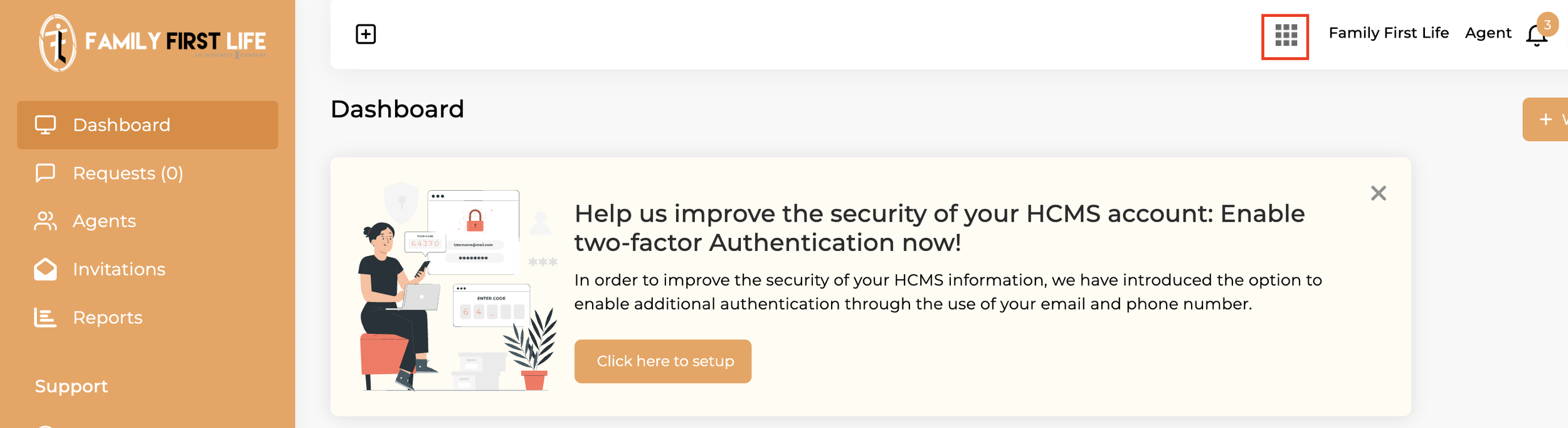
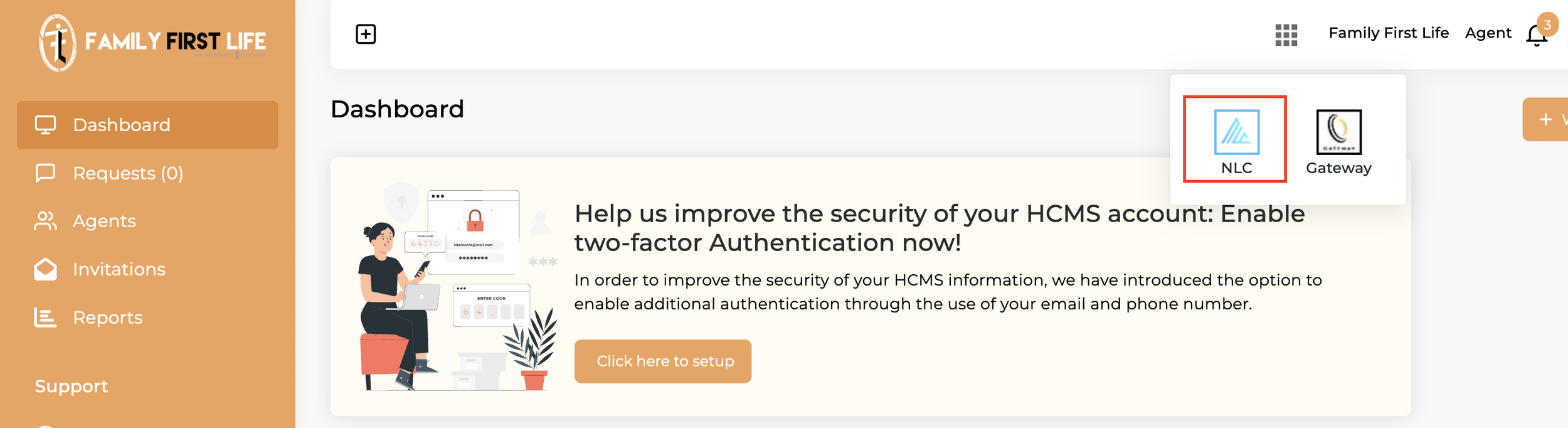
Request appointment from carriers. See how to below. Login to HCMS. Click the menu on the top right (looks like an app menu with 9 boxes), then click NLC (Next Level Contracting). This will take you to a website where you can request carriers.
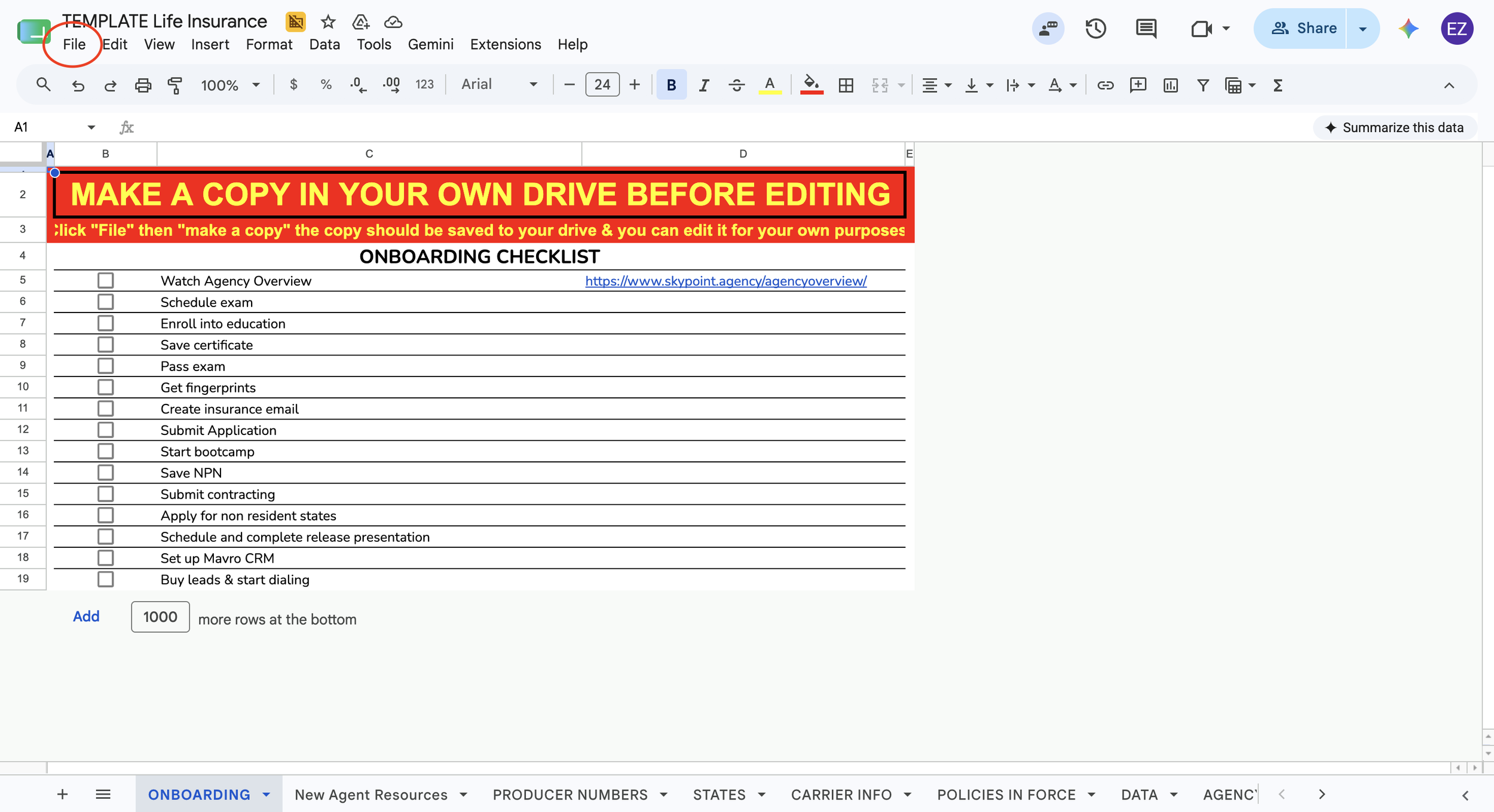
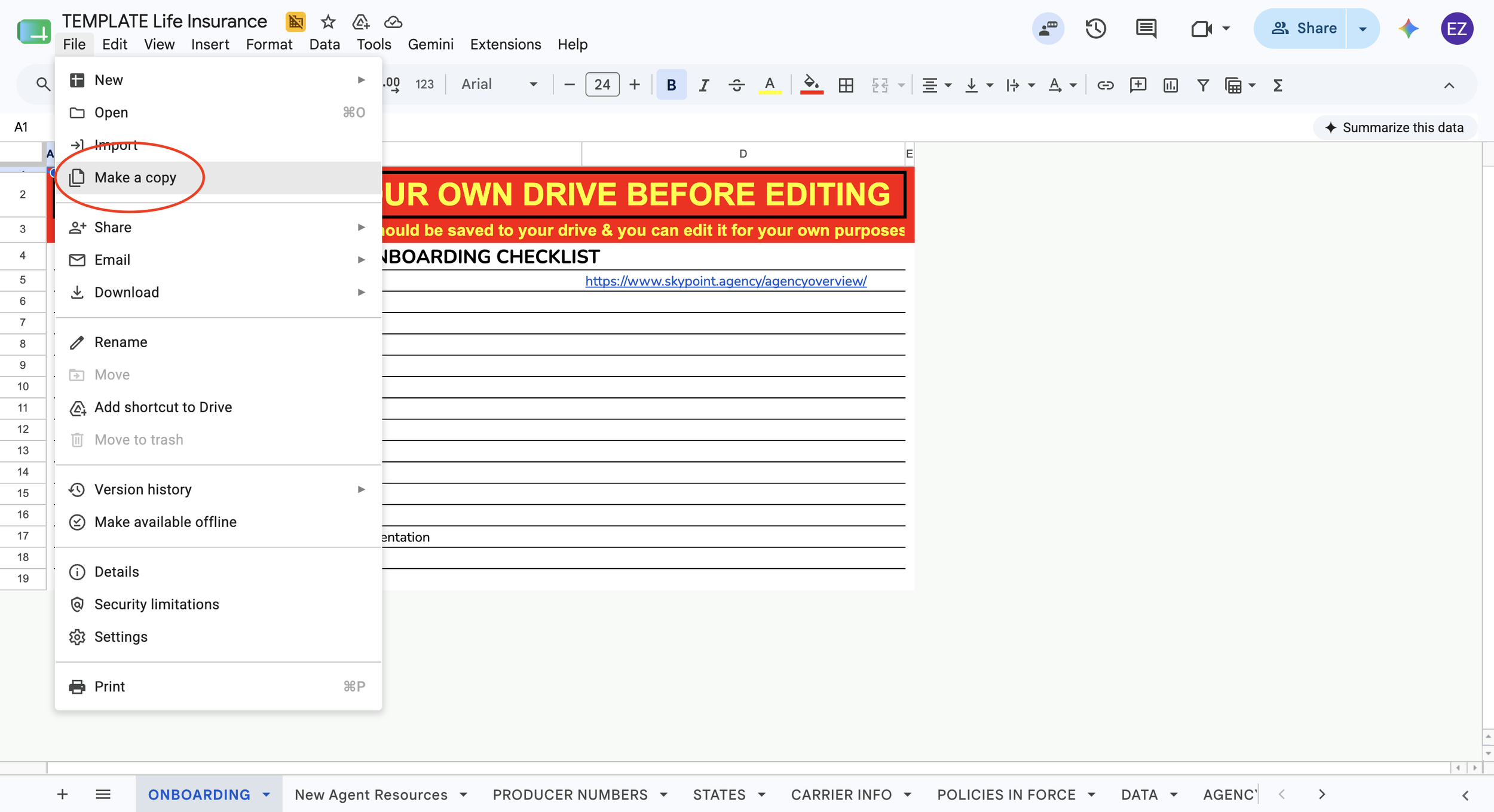
Save a copy of the TEMPLATE Life Insurance Google Sheet. Create a copy of the template to save in your personal drive. The highlighted carriers on the “PRODUCER NUMBERS” tab are the carriers you need to start. If any of these are missing on NLC, please reach out to your manager. You can access the Google Sheet here or copy and paste this link: https://docs.google.com/spreadsheets/d/1otF_wisSZQOby2zgdGNBSvuUp5X-VNzhhv4QwgbzDzM/edit?usp=sharing
How to access NLC:
Login to HCMS: https://hcms.chims.uppatop.com/
Click the apps menu on the top right
Click the “NLC” logo. This will take you to a new website.
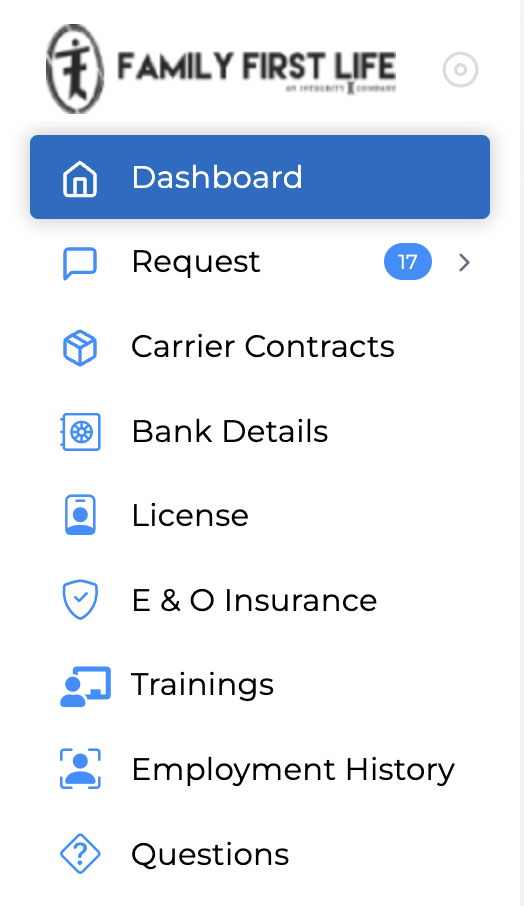
Complete all tabs on the left side menu— Bank Details, License, E&O Insurance, Trainings, Employment History, and Questions.
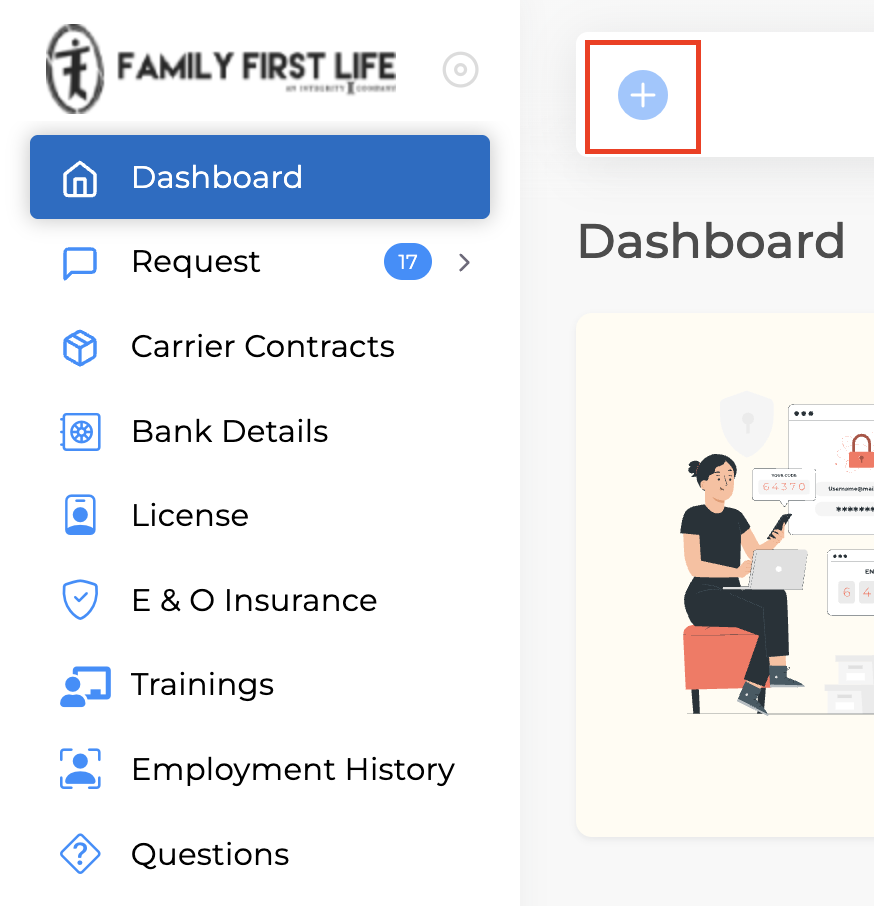
Once those 6 tabs are complete, you can request carriers by clicking on the + sign on the dashboard of NLC.
How to save a copy of the Google Sheet Template:
Open the Template: https://docs.google.com/spreadsheets/d/1otF_wisSZQOby2zgdGNBSvuUp5X-VNzhhv4QwgbzDzM/edit?usp=sharing
Click “File”
Click “Make A Copy”
You can find the copy in your drive: drive.google.com