Stage 2
While waiting for your license to get approved
While waiting for your application to be approved, work on obtaining these documents/items that you will need in order to complete the next stage which is contracting.
NPN. National Producer Number. You will receive this once your licensed is approved. You can also look it up here: https://nipr.com/licensing-center/look-up-a-national-producer-number
Voided check or bank statement. Save a copy of this for the next stage. Carriers use this so they know where to send your commissions. The bank statement or blank check needs to have your personal government name on it and needs to match the name you used for your license application.
Common Questions:
Should I make an LLC for this?
If we’re looking at getting you licensed fast, then no. Obtaining an LLC will take some time to complete. You can always do this later.
I already have an LLC. Should I put my commissions under my business name/business account?
Yes, you are able to assign commissions to an existing LLC.
NOTE: If your business account does not have your personal name on it, you will need to get your business licensed to sell insurance.
E&O Insurance. You will need to obtain Errors & Omissions Insurance through Next. Click here for the document on how to apply for E&O insurance or copy and paste this link: https://scribehow.com/viewer/Get_a_Business_Insurance_Quote_on_Next_Insurance__ZAsMpT30T0aZg3c70tHvpQ
Anti-Money Laundering (AML) Certification. You will need to submit your certification for the AML training when you apply with carriers. You may not be able to register until you have your NPN, just prepare to do this once you receive it. Click here to register and complete the certification or copy and paste this link: https://surelc.surancebay.com/producer/registration?gaId=689&requestMethod=GET&autoAdd=false
Bootcamp. Reach out to your manager for the discount link for bootcamp. You can start training on this while you wait for your application to be approved.
How to start AML training course:
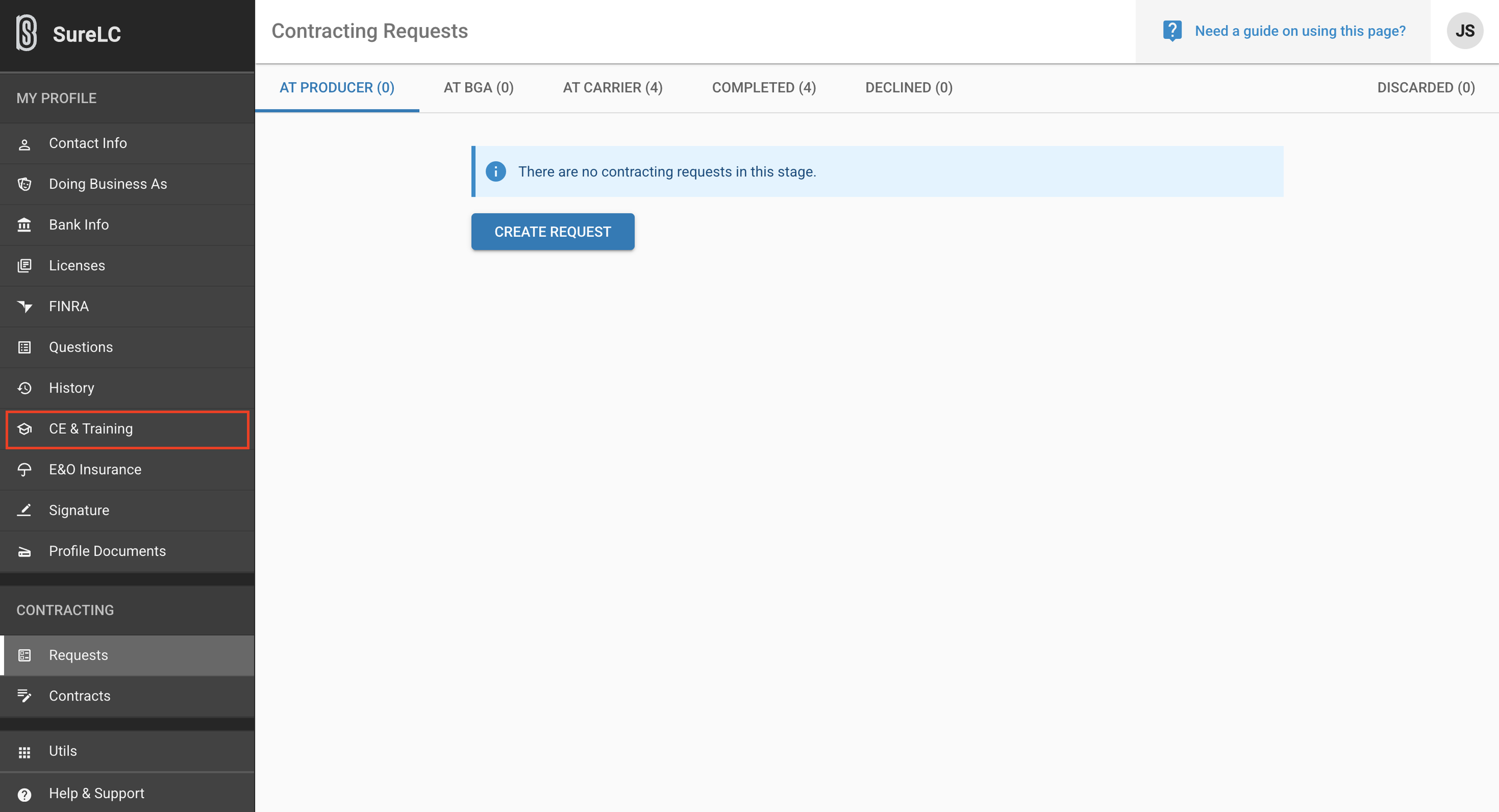
Login to SuranceBay/SureLC
Click “CE & Training” on the menu to the left.
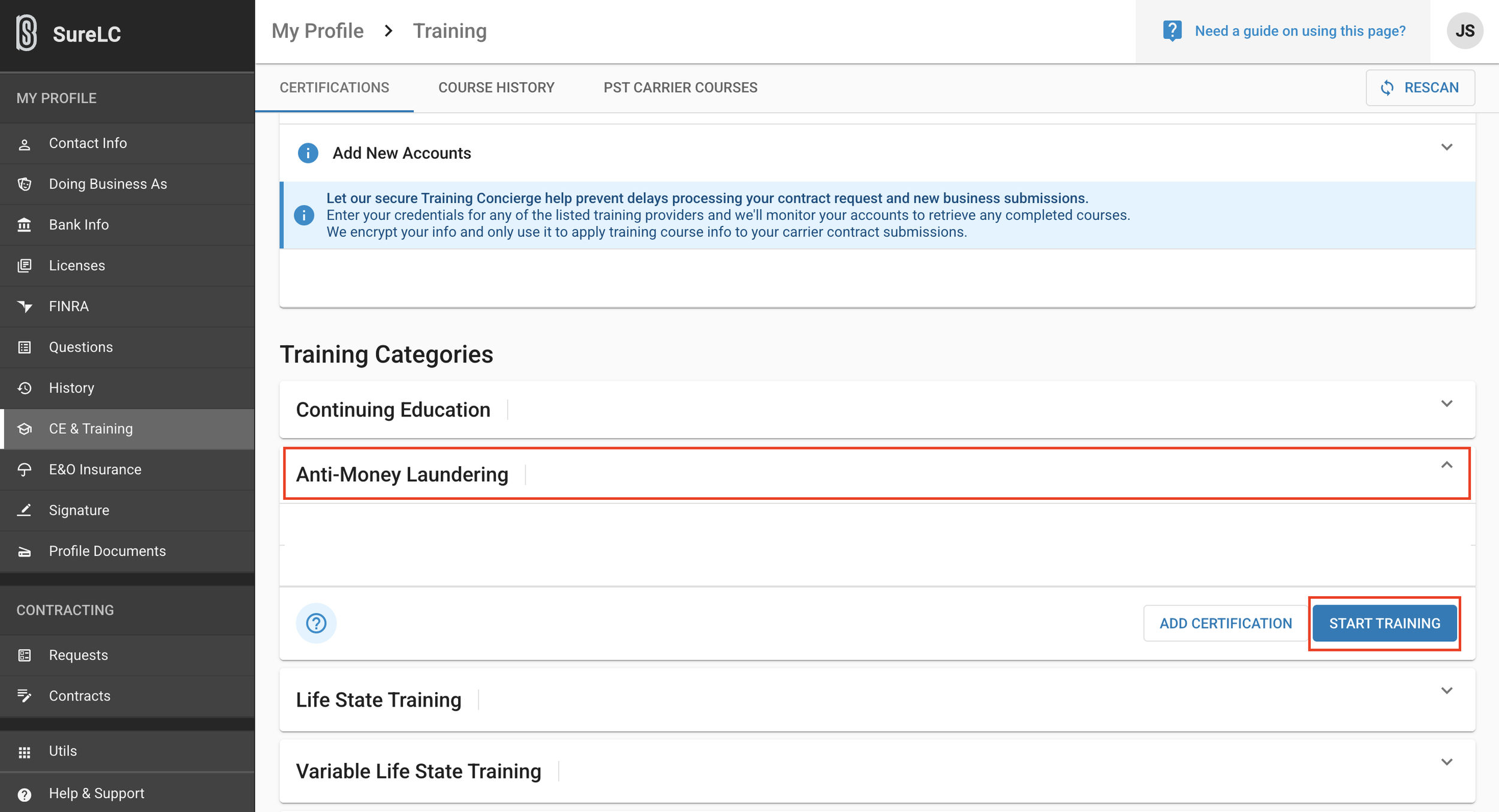
Continue scrollingClick “Anti-Money Laundering”
Click “Start Training” This should take you to the course. Once completed, save your certificate and upload it to SureLC. Be sure to save a copy as you will need this later for HCMS.